Data Protection in the Office: GDPR Beyond Your Website
Learn how GDPR applies to physical offices: paper records, clean desk policies, CCTV, access control, confidential meetings, data breaches and practical compliance measures.
TL;DR
Data protection does not end with your website's privacy policy: the GDPR and Spain's Organic Law on Personal Data Protection and Guarantee of Digital Rights (LOPDGDD) also apply to paper documents, screens, visitors, cameras and conversations in your physical office. The European regulation also covers paper records when they form part of a structured filing system (such as a customer filing cabinet or employee personnel files) and requires measures to ensure confidentiality: locked filing cabinets, clean desk and clear screen policies, secure document destruction, access control, CCTV warning signs and staff committed to confidentiality.
There are specific deadlines: CCTV footage must be deleted within a maximum of one month, and a data breach that poses a risk to individuals must be reported to the Spanish Data Protection Agency (AEPD) without undue delay and, where feasible, within 72 hours, even if the lost information consists of a paper file. Below, we explain each area of concern, provide a checklist, identify common mistakes and examine how a private office contributes to data protection in the workplace.
Does the GDPR apply to physical offices and paper documents?
Yes. Article 2 of the General Data Protection Regulation (GDPR) establishes that it applies to automated processing and also to non-automated processing of personal data contained in, or intended to form part of, a filing system. A filing system is defined as any structured set of personal data accessible according to specific criteria. A filing cabinet organised by customer or employee personnel folders falls within this definition. Data protection is not just an IT issue.
The principle that carries the greatest weight in a physical office is "integrity and confidentiality", established in Article 5(1)(f) of the GDPR: personal data must be processed in a manner that ensures appropriate security, including protection against unauthorised or unlawful processing and against accidental loss, destruction or damage. Article 32 requires technical and organisational measures appropriate to the risk. In this context, an unlocked filing cabinet in a corridor is an inadequate measure, even if nobody has accessed a server.
In Spain, the GDPR is supplemented by Organic Law 3/2018 on Personal Data Protection and Guarantee of Digital Rights (LOPDGDD), which regulates CCTV surveillance, the duty of confidentiality and employees' digital rights. In our experience, the same pattern occurs repeatedly: a flawless website privacy policy, followed by a confidential file forgotten in a meeting room. This article is for information purposes, and data protection regulations may change. For your specific circumstances, consult your data protection officer or legal adviser.
What measures should be applied to paper documents and their destruction?
The first data protection measure is knowing which paper documents you hold and where they are stored: customer files, contracts, payslips, CVs, invoices containing personal data or reports with sensitive information. For each category, determine who can access it, where it is stored and how long it must be retained. The GDPR requires personal data to be kept only for as long as necessary, while tax, commercial and employment obligations establish minimum retention periods that your adviser can confirm. Documents that no longer need to be retained should be destroyed.
The second measure is physical security: lockable filing cabinets and drawers, securely managed keys and records stored in locked rooms rather than passageways. Access should be role-based: someone responsible for invoices does not need access to employee personnel files. If you transport documents between locations, use sealed boxes and never leave them unattended. In our guide to relocating a company's office, we explain how to use a move as an opportunity to digitise or securely destroy unnecessary documents.
The third measure is secure destruction. The AEPD's guide on data protection in employment relationships provides a clear example: disposing of documents without destroying them in ordinary waste is one of the most common data protection infringements, and the company is responsible. Tearing a sheet of paper into four pieces does not constitute secure destruction. Use cross-cut shredders for small quantities or locked confidential waste containers managed by an external provider that issues a destruction certificate. The UNE-EN 15713 standard on the secure destruction of confidential material provides a technical reference for assessing suppliers.
Do not forget electronic storage media: hard drives from retired computers, USB drives or the internal hard drive of a photocopier being returned to its supplier. The AEPD includes residual data on obsolete devices among incidents that may constitute a data breach. And if you outsource document destruction to a third party, you need a data processing agreement, as explained later.
How should you implement a clean desk and clear screen policy?
A clean desk policy is straightforward: whenever you leave your workstation for an extended period and at the end of the working day, no documents containing personal data should remain on your desk. Papers go into a locked drawer, and notes containing passwords must be removed. In environments where other people are present, such as cleaners, maintenance staff and visitors, this is one of the least expensive and most effective data protection measures.
A clear screen policy is the digital equivalent: lock your computer when you leave your desk, enable automatic locking after a few minutes of inactivity and log out at the end of the day. Position monitors so they cannot be viewed from corridors or waiting areas, and use privacy filters at exposed workstations. Take care when sharing your screen during video calls: a notification displaying a customer's name is a common oversight.
Other visible sources of information are often overlooked: whiteboards displaying customer names that nobody erases, noticeboards containing employee lists or holiday schedules visible to any visitor. The AEPD's employment guidance includes a specific section on publishing personal data on noticeboards because this is a recurring source of data protection problems.
Data protection in the office is not just about the server. It is also about the printer tray, the whiteboard nobody erases and the meeting room door left open.
For the policy to work, write it down on a single page and explain it during onboarding. In our experience, clean desk policies are followed much more consistently when every workstation has a lockable drawer and a shredder is readily available: if storing or destroying documents is inconvenient, papers end up staying on desks.
What does data protection require regarding access control and visitors?
The first line of data protection in an office is controlling who can enter: personal keys or access cards, access permissions for different areas and immediate deactivation when someone leaves the organisation. If you manage your own access control system, remember that entry and exit logs contain employees' personal data, and you must inform them of the purpose for which these records are collected.
For visitors, the challenge is identifying people entering the premises without collecting more information than necessary. Request only the information essential for security, inform visitors who processes their data and how they can exercise their rights, and establish a reasonable retention period. Avoid leaving an open visitor register at reception where each person can read the names and national identity document numbers of previous visitors. A digital register or individual registration form serves the same purpose.
Once inside, visitors should not move around unaccompanied in areas containing documents or computer screens. They should be welcomed, escorted to the meeting room and accompanied when leaving. Keeping the waiting area away from workstations where employees handle telephone calls is a matter of office design, not just internal rules. In a business centre, reception manages visitor movements while each company keeps its own rooms secured, simplifying data protection in the office.
What does the law say about CCTV surveillance and warning signs in offices?
Article 22 of the LOPDGDD permits the processing of CCTV images to protect people, property and facilities, capturing public areas only to the extent strictly necessary. Images must be deleted within a maximum of one month from recording, unless they need to be retained as evidence of acts threatening the integrity of people, property or facilities. In such cases, they must be made available to the competent authority within a maximum of 72 hours from becoming aware of the recording.
The obligation to inform is fulfilled through an information notice, commonly known as a CCTV surveillance sign, displayed in a sufficiently visible location and identifying, at a minimum, the existence of the processing, the identity of the data controller and the possibility of exercising the rights established in Articles 15 to 22 of the GDPR. The AEPD's guide on the use of video cameras, published in February 2025, includes a model notice and reminds organisations that this processing must be included in their record of processing activities.
If cameras are also used to monitor employees' work activities, Article 89 of the LOPDGDD requires employees and their representatives to be informed beforehand, expressly, clearly and concisely. Cameras and sound recording are never permitted in changing rooms, toilets, dining areas or other rest areas. Sound may only be recorded where significant security risks exist and where the measure is proportionate.
In practice, check that cameras focus on entrances and risk areas rather than workstations or screens; that surveillance monitors are not publicly visible; and that only authorised individuals can access recordings. If surveillance is provided by a security company, a data processing agreement is required. In a building where cameras are managed by the property owner or business centre operator, the organisation managing those cameras is responsible for the associated data processing, not your company.
How can you protect confidentiality in meeting rooms, at printers and when handling correspondence?
Meeting rooms are where sensitive information is most frequently discussed aloud: negotiations, interviews, dismissals and customers' financial circumstances. Data protection begins with choosing an enclosed room with good sound insulation and without transparent glass facing passageways if confidential documents are displayed. After the meeting, collect all papers, erase the whiteboard and disconnect the screen. If the meeting is hybrid, also check what the camera and microphone capture. Our article on hybrid meetings and their equipment provides guidance on setting up the room.
Telephone calls deserve the same attention. Speaking to a customer in a corridor or cafeteria exposes information to anyone nearby. The AEPD identifies unauthorised verbal disclosure as an incident that may constitute a confidentiality breach: losing a file is not necessary for a data protection problem to occur. For occasional meetings with third parties, one of our meeting rooms in Madrid can be booked by the hour, allowing you to welcome customers without exposing your office or other people.
Printers and photocopiers are another common source of risk: a payslip forgotten in a shared output tray is a direct exposure of personal data. The measures are well known: secure print release using a code or card, immediate collection and secure erasure of the internal hard drive when equipment is retired. If you outsource reprographic services, for example through our auxiliary services, specify which documents contain personal data and how unsuccessful print copies should be handled.
Correspondence completes this area of concern. The AEPD identifies lost or opened postal mail as a typical data breach incident. Define who receives and opens correspondence and how it is distributed, using sealed envelopes and never leaving them on an open counter. If a third party receives your mail, such as a virtual office provider, make sure it registers, securely stores and notifies you of each delivery without opening it unless you have instructed otherwise.
What changes with remote working and hot desking in flexible workspaces?
Remote working extends data protection beyond the office. Law 10/2021 on remote working considers remote working to be regular when it accounts for at least 30% of working hours over a three-month reference period. In such cases, the remote working agreement must include the company's instructions on data protection and information security, and employees must comply with them. Printing customer files at home or working on a train with a screen visible to other passengers are risks that these instructions should address.
Hot desking, or rotating workstations, presents another challenge: nobody has their own drawer. A strict clean desk policy becomes essential, supported by lockable lockers and secure print release. Coworking spaces also bring together people from different companies, meaning conversations and screen content may be overheard or seen by outsiders. If you are designing a mixed working model, our article on hybrid working explains how to organise it.
The type of workspace makes a real difference to data protection:
| Workspace format | Main confidentiality risk | Key measures | Suitable for |
|---|---|---|---|
| Shared workstation or hot desk | Conversations and screens visible or audible to people from other companies; no personal storage | Strict clean desk policy, privacy filters, lockable locker, calls in booths or meeting rooms | Tasks without sensitive data or occasional use |
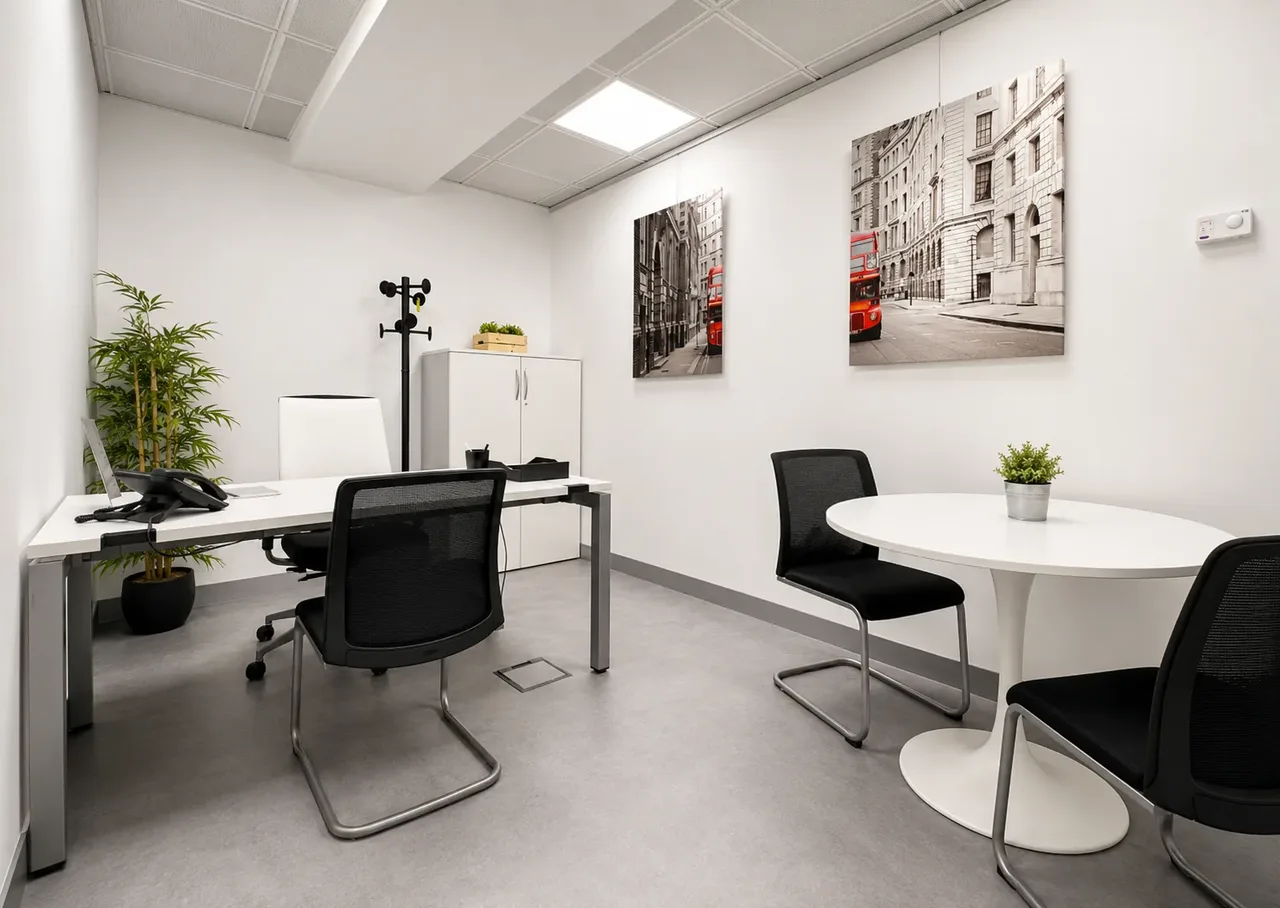
| Enclosed private office | Internal oversights (open door, documents left on desks) | Individual access key, locked filing cabinets, internal clean desk policy | Professional practices, consultancies and teams handling customer data daily |
| Virtual office | Correspondence handled by a third party | Mail registration, secure storage and notification; clear instructions on opening and forwarding | Companies without a daily physical workspace requirement |
| Working remotely from home | Environment not controlled by the company | Data protection instructions in the agreement, no printing at home, computer locking | Hybrid teams with a clear policy |
At our centres in Azca, Gran Vía and Velázquez, a private office is a furnished, enclosed space for exclusive use, with its own digital access key, starting from €1,500/month + VAT depending on the location and number of workstations. Reception and correspondence management are included. If you do not need a workspace every day, our virtual office registers and securely stores your mail and notifies you of each delivery, starting from €40 + VAT per month (Basic), €90 + VAT (Business) and €150 + VAT (Premium), with a minimum three-month contract. An enclosed space helps, but it does not replace your own measures: the office door lock cannot protect a confidential file forgotten in a shared meeting room.
What documentation does a company need: records, processors and confidentiality agreements?
The record of processing activities, regulated by Article 30 of the GDPR and Article 31 of the LOPDGDD, is an inventory of the personal data you process, the purposes of processing, the recipients, retention periods and security measures. The GDPR exempts organisations with fewer than 250 employees only where processing is occasional, does not pose a risk and does not involve special categories of data. Since almost every company processes personal data regularly, such as payroll and invoicing information, maintaining this record is the prudent approach. Physical processing must also be included: employee files, visitor records and CCTV surveillance.
The second document is the agreement with each data processor, meaning every provider that accesses personal data on your behalf: document destruction companies, security providers, cleaning services, accounting advisers or mail and telephone reception services. Article 28 of the GDPR establishes the minimum content of these agreements, including a requirement that authorised individuals commit to confidentiality.
The third pillar is the duty of confidentiality. Article 5 of the LOPDGDD applies this duty to everyone involved in any stage of personal data processing, in addition to professional secrecy obligations, and maintains it even after the relationship with the company has ended. The usual approach is a signed confidentiality undertaking and basic data protection training. The AEPD recommends providing training even to cleaning staff.
If you process low-risk personal data, the AEPD provides the free Facilita RGPD tool, which generates clauses, data processing agreements, records of processing activities and an appendix of minimum measures. However, the Agency warns that using the tool does not automatically guarantee compliance. Remember that other employment obligations also generate personal data that must be included in this inventory, such as working time records.
What should you do if a data breach occurs in the office?
The GDPR defines a personal data breach as a breach of security leading to the accidental or unlawful destruction, loss or alteration of personal data, or to unauthorised disclosure of or access to such data. It does not distinguish between digital information and paper documents. The AEPD's guide to managing and reporting data breaches includes lost or stolen documents, documents left in insecure locations, lost or opened postal mail and incorrect disposal of paper records among typical incidents.
If the breach poses a risk to the rights and freedoms of individuals, Article 33 of the GDPR requires notification to the supervisory authority without undue delay and, where feasible, no later than 72 hours after becoming aware of it. If notification takes longer, the reasons for the delay must be explained. The AEPD clarifies that weekends and public holidays count towards this deadline and that notification must be submitted through the data breach reporting channel on its electronic portal. If the risk is high, Article 34 also requires the affected individuals to be informed.
It is advisable to have a procedure in place before an incident occurs. If a folder is lost or correspondence is opened by someone who should not have accessed it, the practical sequence is as follows:
- Contain the incident: recover the document if possible, change locks or access codes and block access.
- Report internally immediately to the person responsible for data protection or to company management.
- Assess the incident: identify which data is involved, how many people are affected and the possible consequences.
- Decide whether notification to the AEPD is required, remembering that the 72-hour period starts when the breach becomes known.
- Inform affected individuals if the risk is high.
- Document the incident even if notification is not required, recording the facts, effects and corrective measures, as required by Article 33(5) of the GDPR.
If a data processor detects the incident, it must inform you without undue delay. In our experience, the most serious mistake is not necessarily the breach itself, but discovering it too late because nobody realised that losing an envelope could also constitute a data protection incident.
What common mistakes do we see, and what penalties can they lead to?
Data protection mistakes in offices are rarely sophisticated: documents thrown into ordinary waste bins, unlocked filing cabinets, open visitor registers, screens facing waiting areas, forgotten printouts, conversations in open spaces and CCTV cameras without warning signs. Other mistakes are less visible: suppliers without data processing agreements, access keys that are not recovered and retired equipment whose data has not been securely erased.
The LOPDGDD classifies breaches of the duty of confidentiality as very serious infringements, subject to a three-year limitation period. Failure to adopt appropriate security measures, failure to maintain a mandatory record of processing activities or failure to notify a data breach are classified as serious infringements, subject to a two-year limitation period. The maximum fines are established by Article 83 of the GDPR:
| Type of infringement | Office example | Maximum fine (GDPR Article 83) | Classification under the LOPDGDD |
|---|---|---|---|
| Basic principles of processing (GDPR Article 5) | Files accessible to anyone; documents disposed of in ordinary waste | Up to €20 million or 4% of total worldwide annual turnover, whichever is higher | Breach of confidentiality duty: very serious (three-year limitation period) |
| Obligations of controllers and processors (GDPR Articles 25–39) | No security measures, no record of processing activities, unreported data breach | Up to €10 million or 2% of total worldwide annual turnover, whichever is higher | Serious (two-year limitation period) |
These are maximum limits, not typical fine amounts. The GDPR requires each penalty to be assessed according to the seriousness of the infringement, whether it was intentional or negligent, and the data protection measures that had been implemented. Beyond financial penalties, reputational damage in the eyes of a customer is often the greatest cost.
What checklist should you follow for data protection in the office?
This physical office data protection checklist summarises the measures discussed above. Assign someone responsible for each area and review it once a year or whenever you move to a different workspace.
Documentation and filing
- Inventory paper documents containing personal data, identifying responsible individuals and retention periods.
- Use lockable filing cabinets and drawers, securely managed keys and role-based access.
- Provide a cross-cut shredder or locked confidential waste container with a certified service; securely erase data from retired storage media.
Workstations, screens and printing
- Establish a written clean desk and clear screen policy and explain it during onboarding.
- Enable automatic computer locking, position monitors away from passageways and use privacy filters where necessary.
- Implement secure print release using a code or card; ensure whiteboards and noticeboards do not expose personal data.
Access, visitors and cameras
- Use personal keys or access cards and deactivate them immediately when the relationship ends.
- Maintain a visitor register that does not expose third-party data and provide visitors with the required information.
- Position cameras only at entrances and risk areas, display information notices, retain footage for no longer than one month and inform employees beforehand.
Meeting rooms, calls and correspondence
- Hold meetings and calls involving sensitive data in enclosed spaces.
- Collect documents and erase whiteboards after leaving each meeting room.
- Establish a defined process for mail and parcel handling, without leaving envelopes on open reception counters.
Legal documentation and personnel
- Maintain an up-to-date record of processing activities, including paper records and CCTV surveillance.
- Sign a data processing agreement with each supplier that accesses personal data.
- Obtain signed confidentiality undertakings, provide basic training (including to external personnel) and include data protection instructions in remote working agreements.
- Establish a data breach response procedure identifying responsible individuals, deadlines and an incident register.
Frequently asked questions about data protection in the office
Does the GDPR apply to paper documents in the office?
Yes, when personal data forms part of a filing system or is intended to be included in one. This means a structured set of data accessible according to specific criteria, such as a customer filing cabinet or employee personnel folders. In these cases, the same principles apply as to digital processing, including the obligation to ensure confidentiality through appropriate measures.
How long can CCTV recordings from an office be retained?
The LOPDGDD establishes a maximum retention period of one month from the time the images are captured. The exception concerns footage providing evidence of acts threatening the integrity of people, property or facilities. Such footage must be retained and made available to the competent authority within a maximum of 72 hours from becoming aware of the recording.
Must the loss of paper documents be reported to the AEPD?
If the loss poses a risk to the rights and freedoms of affected individuals, yes. It constitutes a data breach and must be reported to the AEPD without undue delay and, where feasible, within 72 hours of becoming aware of it, including weekends and public holidays. Even when notification is not required, the incident must be documented internally.
Must every company maintain a record of processing activities?
The GDPR exempts organisations with fewer than 250 employees only where processing is occasional, does not pose a risk and does not include special categories of personal data. Since most companies regularly process employee or customer information, maintaining such a record is advisable. The AEPD's Facilita RGPD tool helps prepare it for low-risk processing activities.
Does the duty of confidentiality end when an employee leaves the company?
No. Article 5 of the LOPDGDD establishes that the duty of confidentiality continues even after the relationship with the data controller or processor has ended. That is why it is advisable to document this obligation through a signed undertaking and remind employees of it when they leave.
Is a private office better than a shared workstation for data protection?
For tasks involving sensitive data, an enclosed space for exclusive use reduces the risk of outsiders viewing screens, overhearing conversations or accessing documents. It does not replace your own measures, such as a clean desk policy or locked filing cabinets, but it makes them easier to implement. At Ibercenter, private offices start from €1,500/month + VAT, depending on the location and number of workstations.